
Linking your Harmony and Google Home is pretty straight forward.
All you have to do is tap the hamburger menu in the Google Home app.
Then “Explore” and search for Harmony. Tap on Harmony and then tap Link. That’s it!
But how can you make the most out of your interactions with Harmony and Google Home?
I’ve never been a fan of first asking the Google Home to “Ask Harmony” to do something. It feels a little clunky. I’ve heard that Google is taking steps away to reduce some of the “ask xxx” to perform an action but until then I recommend simply using the Google Home app on your phone and setting up shortcuts.
Instead of saying “Hey google, ask harmony to turn on the tv” you can transform it into “hey google, turn on the tv.”
Much more concise and much more natural. You’ll have Harmony and Google Home playing extra nice together.
Here’s how to do it:
1. Open the Google Home app on your smart form
2. Tap the hamburger menu in the upper left
3. Tap More settings
Then scroll down to “Shortcuts”. Update: This may now be called “Routines”.
You’ll add a new one, by tapping the blue plus icon in the lower right and you will get a screen that looks something like this:
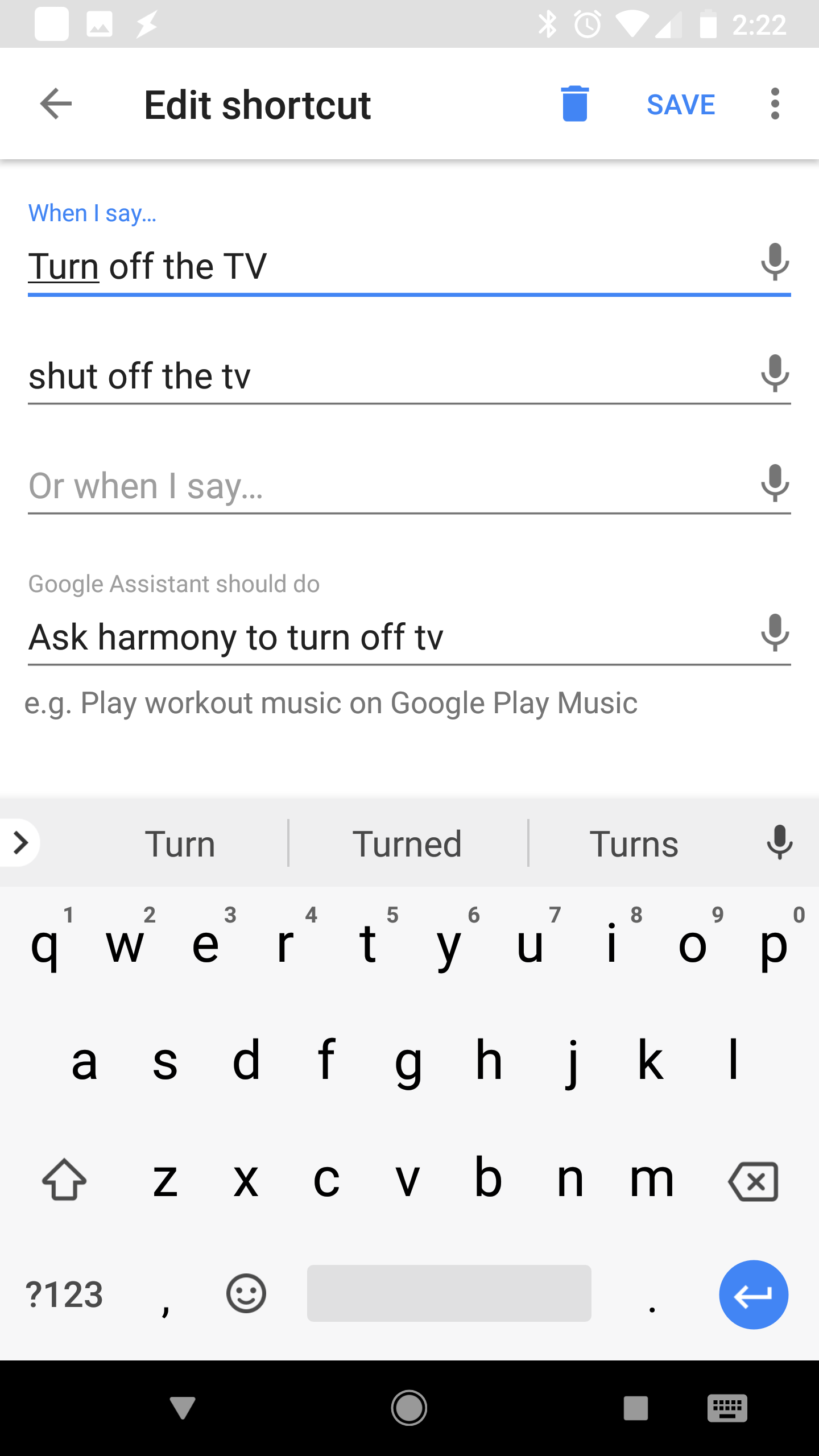
As you can see I’ve added multiple phrases that will trigger the google home to turn off the TV. I recommend setting up a few to accomplish the task.
“Hey, Google. Turn off the TV” or “Hey, Google, shut off the tv” will both do the same thing.
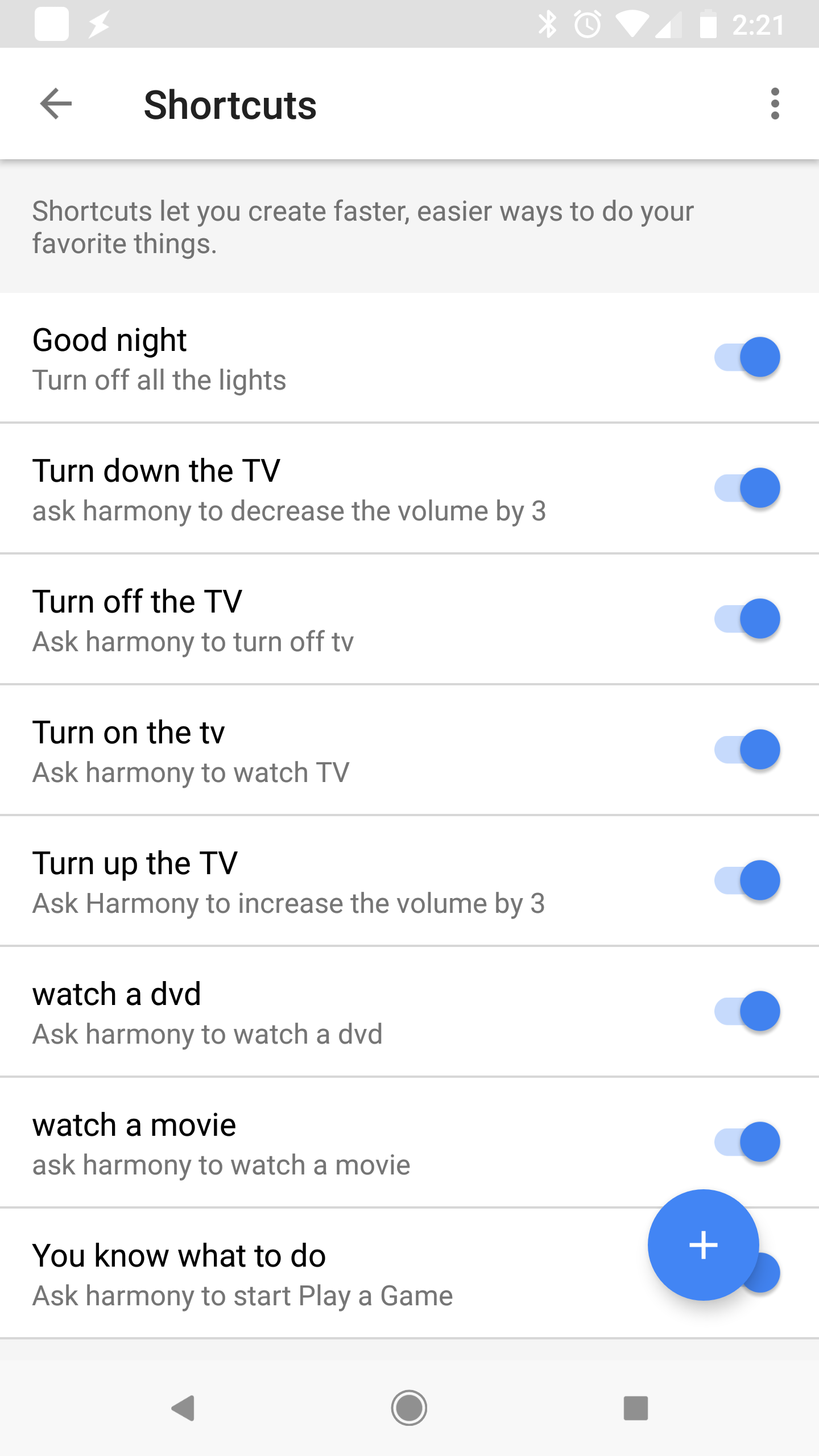
Take a look at a few other shortcuts I’ve setup.
You can ask Harmony to start an activity that you have defined in the harmony app with “Hey Google, ask Harmony to Start [activity name]”
By default Harmony should also come with an internal command of “PowerOff” so you can say “Hey Google, ask Harmony to power off” and it will shut down the activity/all devices connected to your harmony hub.
What are some of your favorite ways to interact with Harmony through your Google Home?